Book cover size guide: standard dimensions in inches, mm and pixels
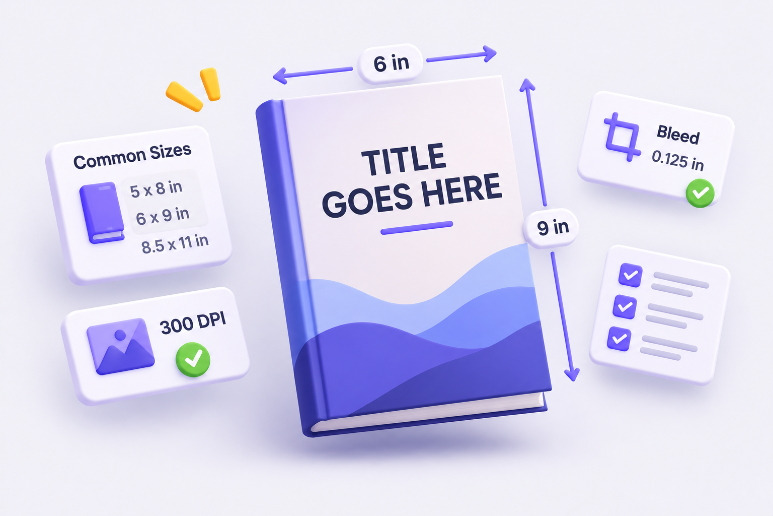
TABLE OF CONTENTS

TL;DR
The three most common book cover sizes are 5 x 8, 5.5 x 8.5 and 6 x 9 inches. For a printed cover, add 0.125 inches (3.2 mm) of bleed to every outside edge. For an ebook, use 1,600 x 2,560 pixels, a 1.6:1 ratio.
- ✅ Safest print size: 6 x 9 inches. It suits fiction, non-fiction and memoir, and every major print-on-demand service supports it.
- 📐 Front cover with bleed at 6 x 9: 6.125 x 9.25 inches, or 1,838 x 2,775 pixels at 300 DPI.
- 📱 Ebook: 1,600 x 2,560 pixels covers Kindle, Apple Books and Google Play. Kobo screens are 3:4, so 1,800 x 2,400 fits it better.
- 🎧 Audiobook: square, at least 2,400 x 2,400 pixels for Audible (ACX).
- ⚠️ Spine width depends on page count: a 300-page paperback on white paper needs a 0.676-inch spine on KDP. Calculate it before you design the wrap.
Trim size is the size of the finished book. The front cover you design is slightly bigger, because the artwork has to run past the trim on the outside edges. The figures below use the 0.125-inch bleed that Amazon KDP asks for on the top, bottom and outside edge of the front panel, and 300 DPI, the minimum KDP accepts for print.
4.25 x 6.87 is the classic mass-market size used by traditional publishers. KDP doesn't offer it; its nearest sizes are 4.13 x 6.81 and 4.41 x 6.85 inches, listed on the KDP trim size page.
Ebook and audiobook cover sizes in pixels
The safest ebook cover size is 1,600 x 2,560 pixels, a 1.6:1 height-to-width ratio. It's Amazon's ideal and clears the minimums of Apple Books and Google Play. Kobo is the exception: its screens run at 3:4, so a 1,800 x 2,400 version fills the screen without bars.
Sources: KDP cover image guidelines, Apple Books Asset Guide, Kobo Writing Life, Google Play Books file guidelines and ACX cover art requirements.
Designing one master file at 1,600 x 2,560 and cropping a 3:4 version for Kobo is less work than building six covers. Keep your title and author name away from the top and bottom edges so the Kobo crop doesn't clip them.
How to choose a trim size for your book
Your trim size comes down to three things: printing cost, page count and what readers in your genre expect. Print-on-demand services charge by page count, so a larger trim fits more words on each page and brings the price down. A 600-page fantasy novel squeezed into 5 x 8 becomes a brick that's hard to hold open, while a 120-page poetry collection at 8.5 x 11 looks thin and odd on a shelf.
Unless you have a practical reason to break from it, stick to your genre's convention. A quick way to check is to look up five bestsellers in your category on Amazon and note the dimensions listed under product details. If you're still at the concept stage, our book cover ideas and best book covers roundups show how those sizes look with finished artwork.
Fiction
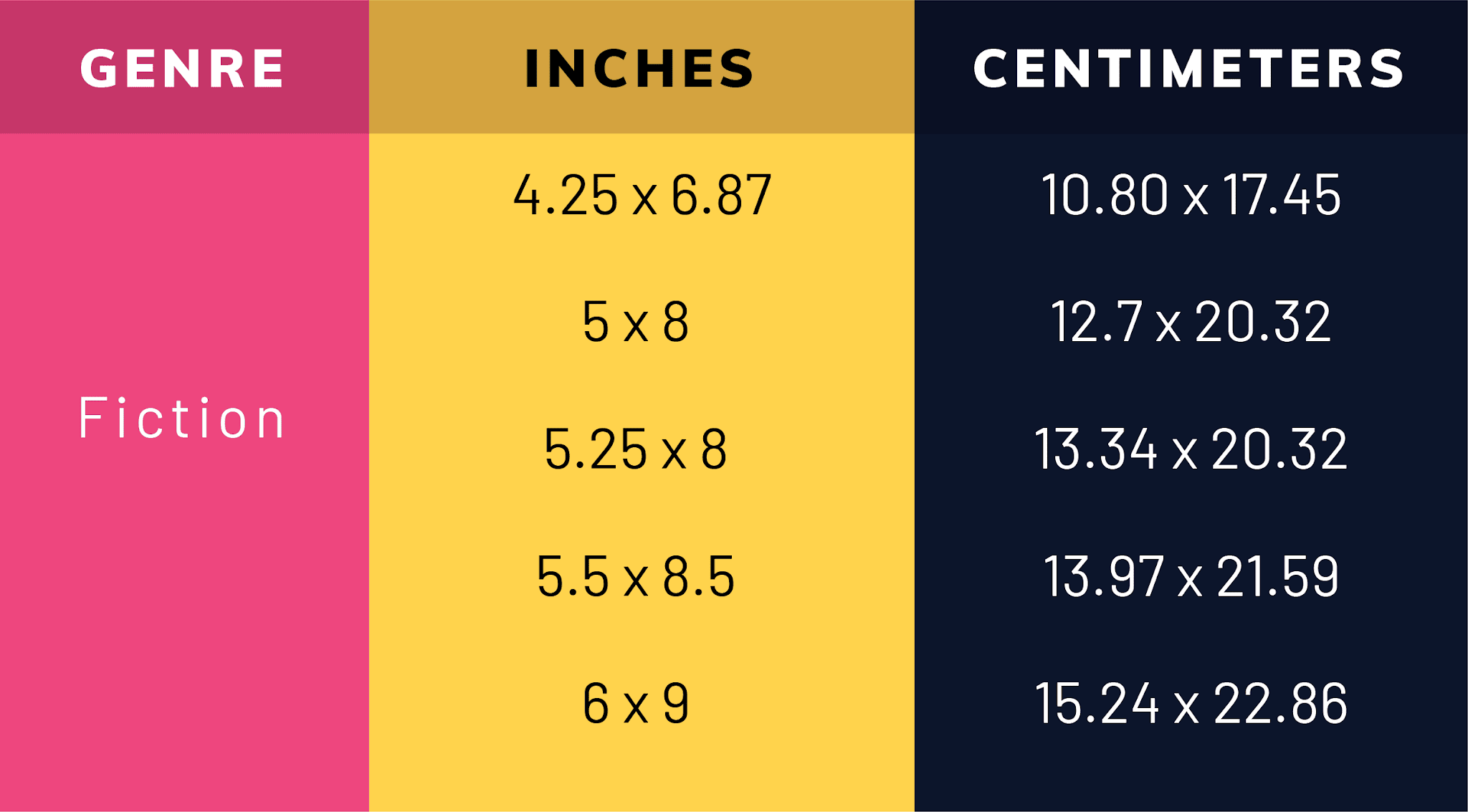
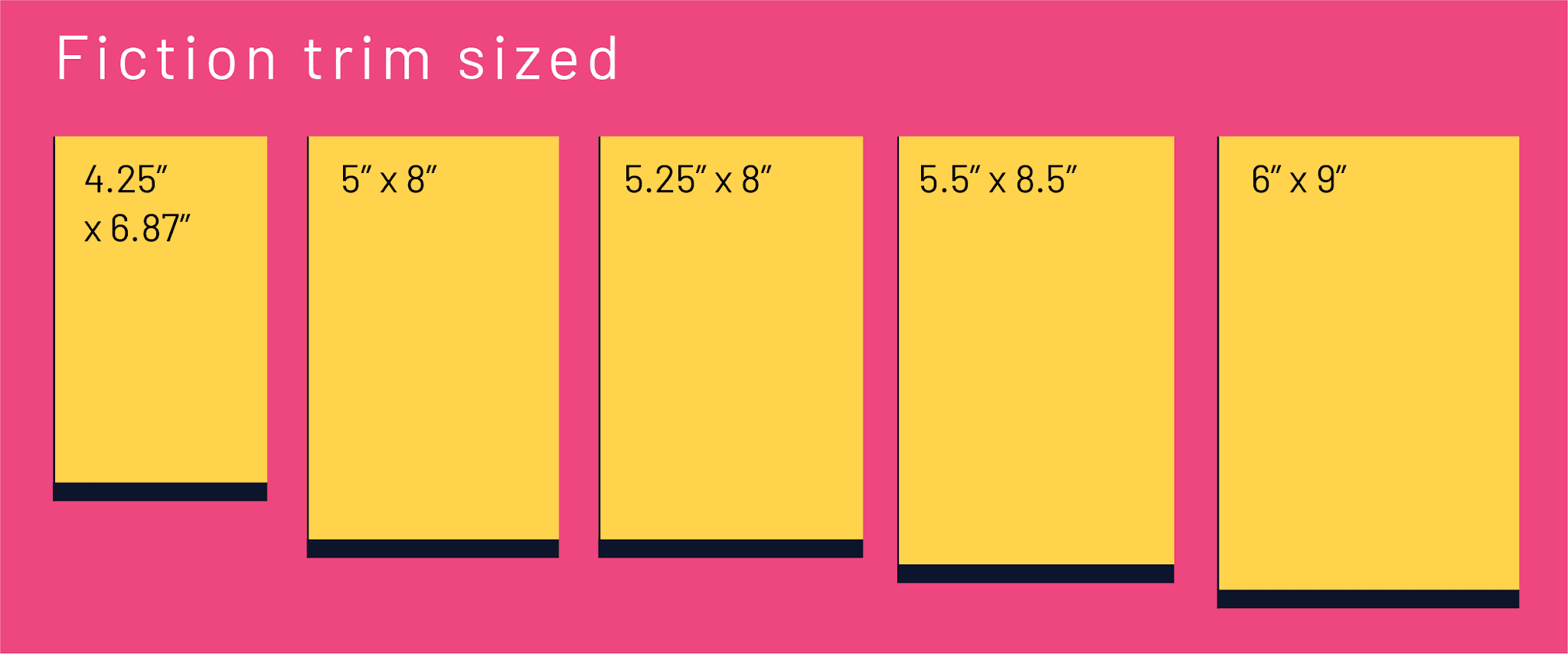
Fiction has the widest range of sizes, from 4.25 inches wide for mass-market paperbacks up to 6 x 9 for trade paperbacks. The deciding question is how the book will be read. A paperback meant for a commute should fit in a bag. A literary hardback meant for a long weekend can afford to be larger. Common fiction trims are 4.25 x 6.87, 5 x 8, 5.25 x 8, 5.5 x 8.5 and 6 x 9 inches.
Novels
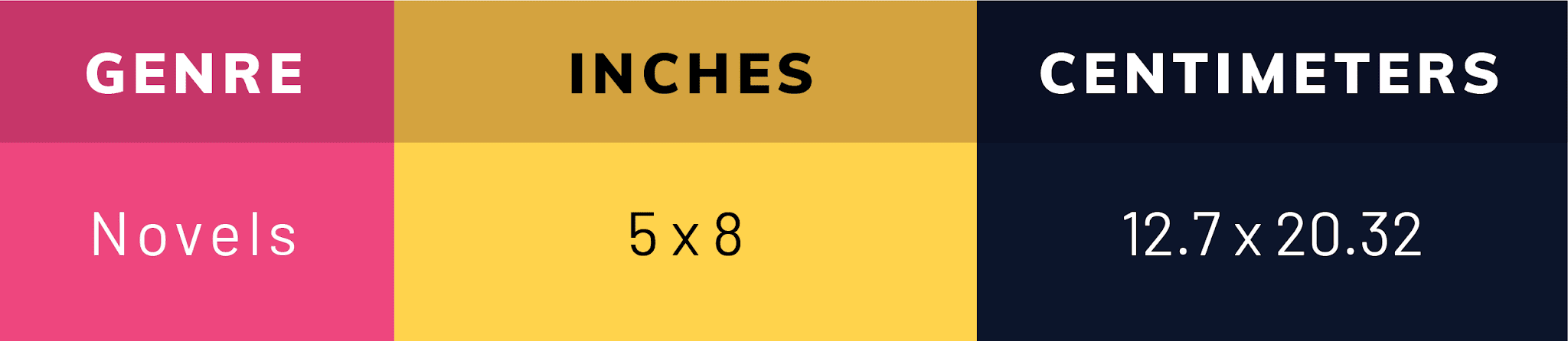
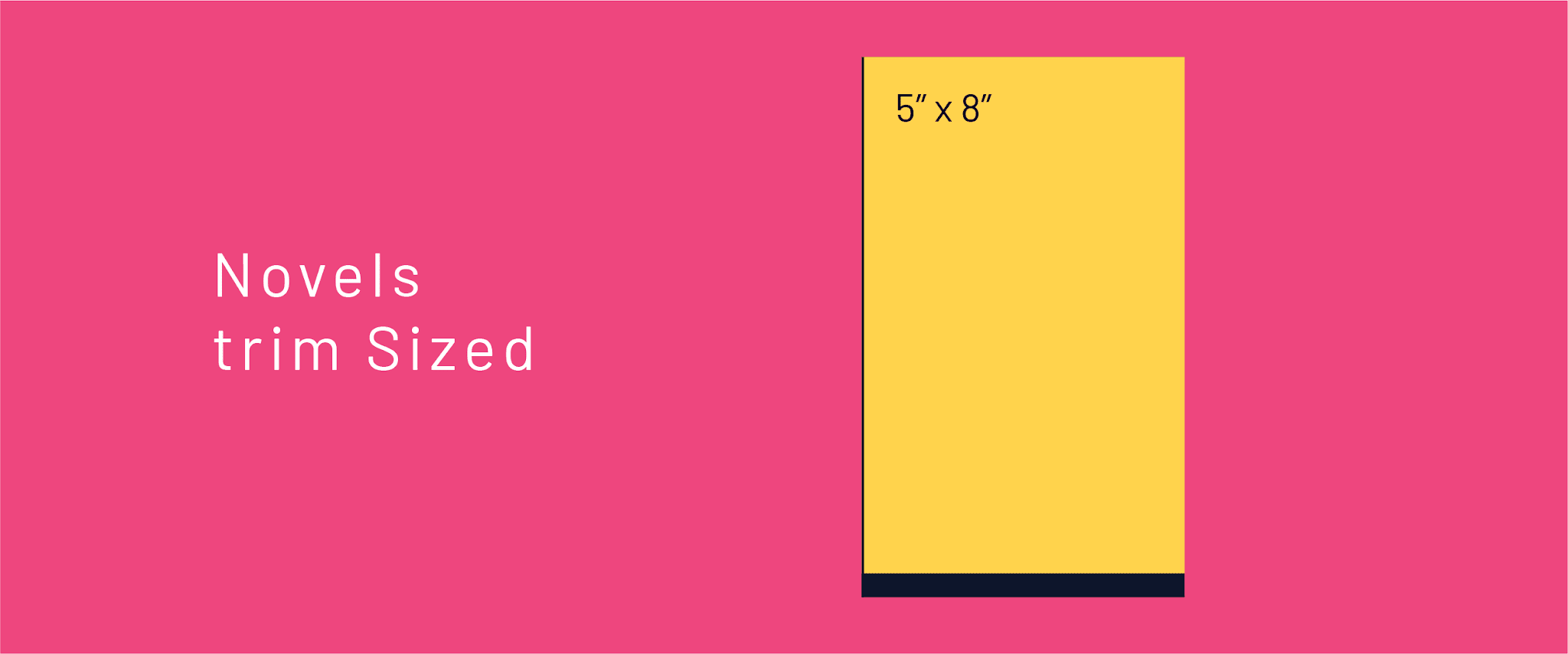
Novels tell intimate stories, and a smaller book is easier to hold for hours. At 5 x 8 inches, the book gets out of the way between the reader and the story. Go up to 5.5 x 8.5 or 6 x 9 once a manuscript passes roughly 400 pages, or the spine gets thick enough to make the book awkward to keep open.
Children's books
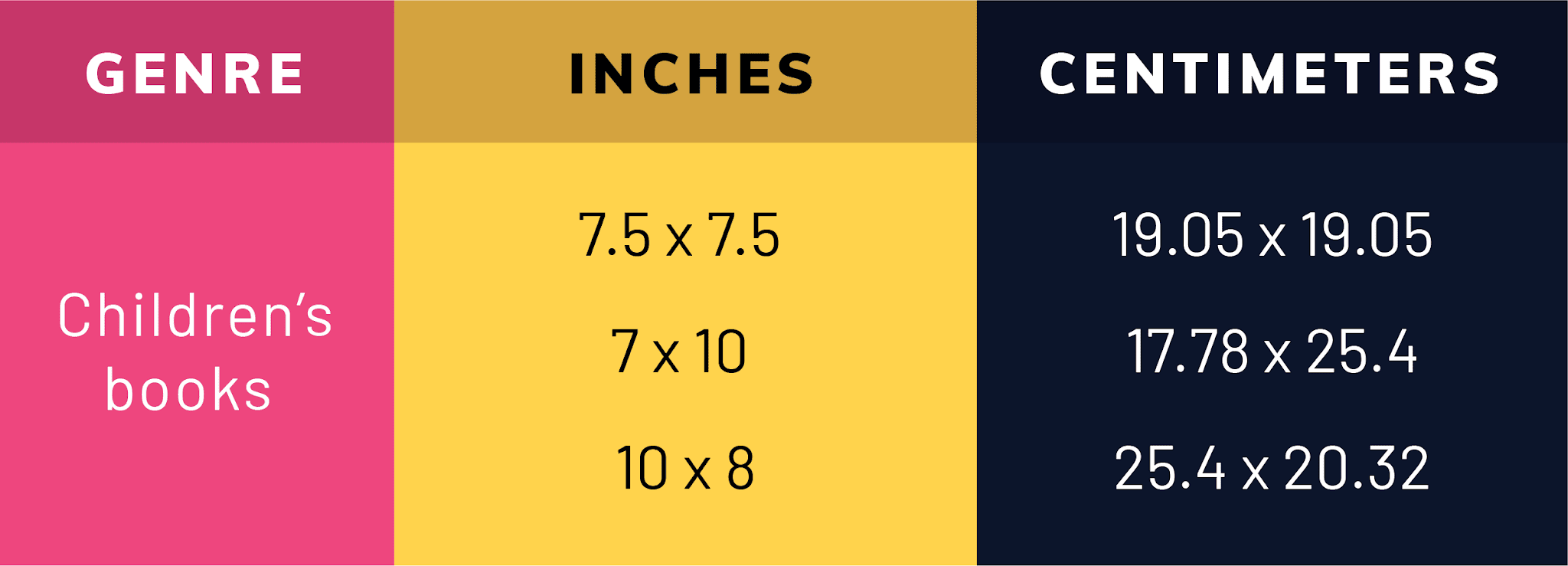
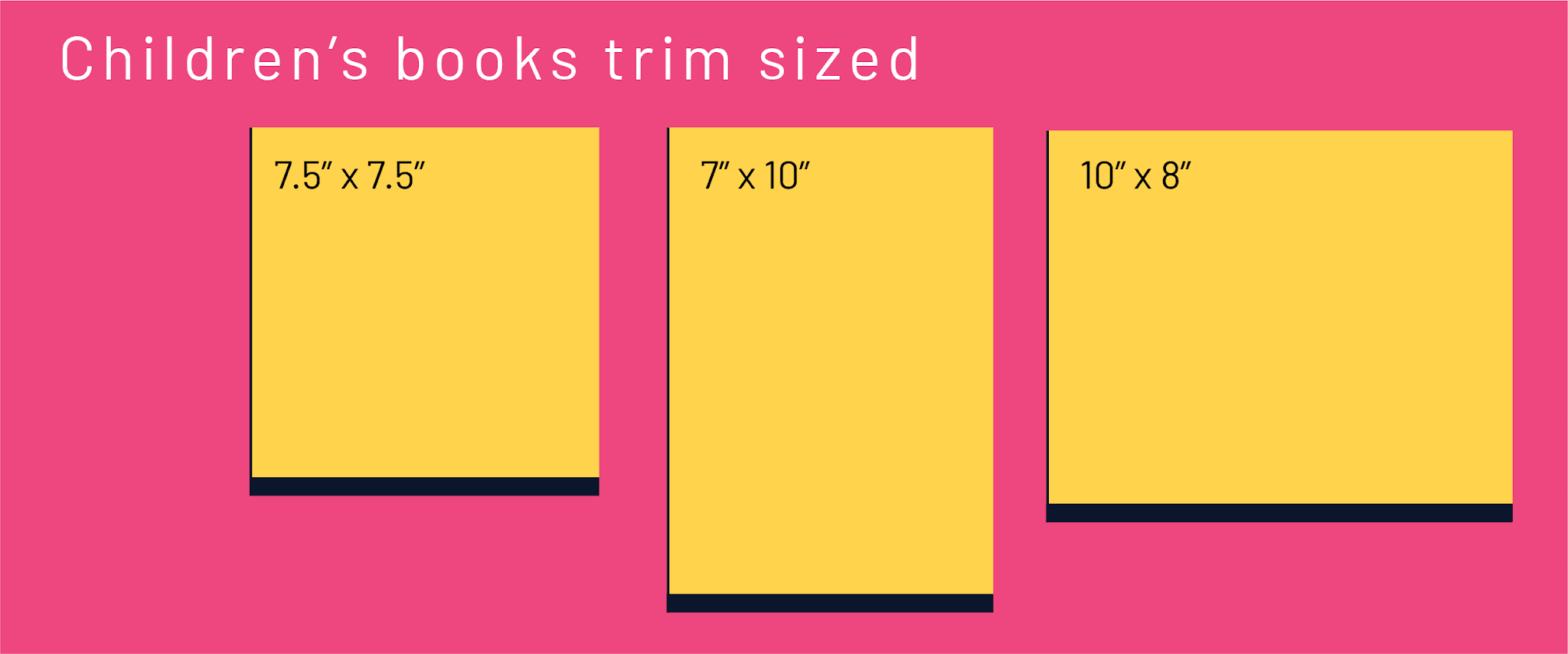
Children's books carry more illustration than text, so they need a bigger page for the artwork to read clearly and for small hands to grip. Square formats (7.5 x 7.5 or 8.5 x 8.5) suit picture books, 10 x 8 landscape gives double-page spreads room to breathe, and 7 x 10 portrait works for early readers. Bold, rounded and playful typography reads best at these sizes.
Textbooks
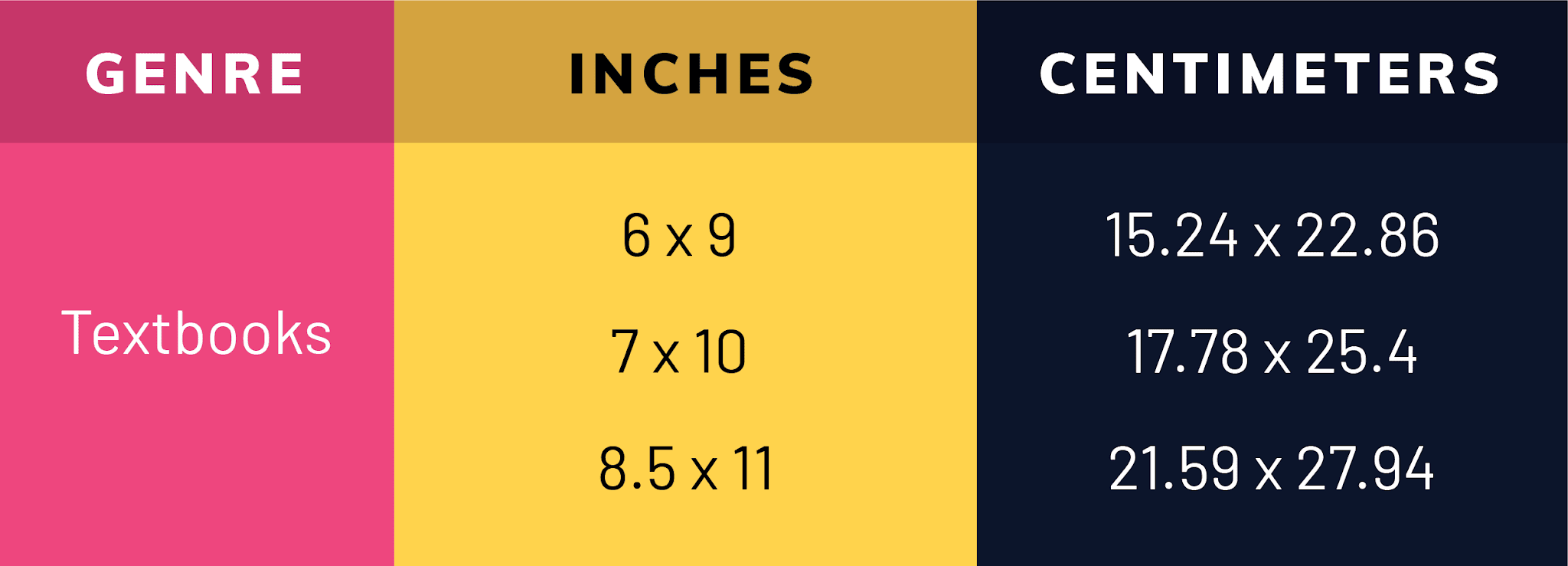
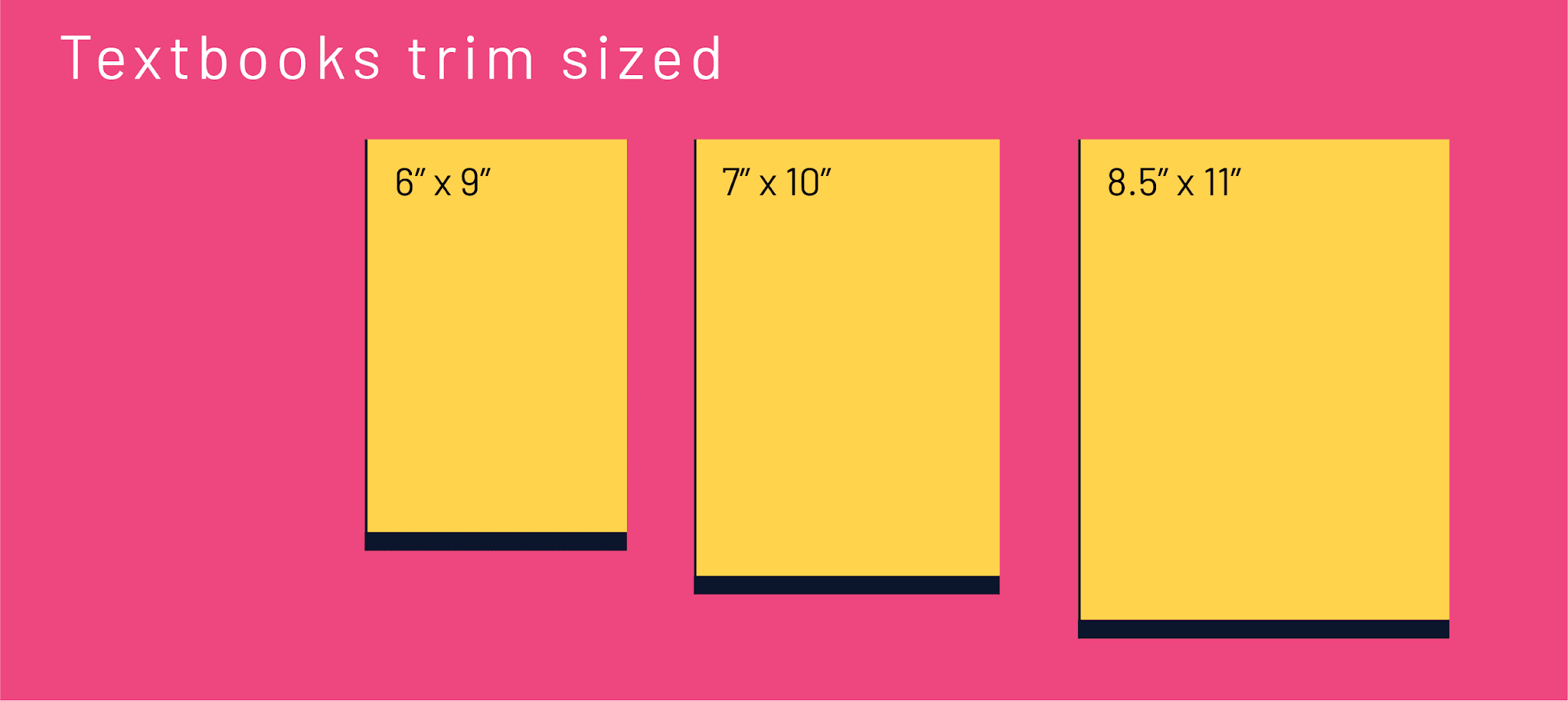
Textbooks are long, and a small trim would make them too thick to carry. That's why they usually come as paperbacks in larger sizes: 6 x 9, 7 x 10 and 8.5 x 11 inches. The bigger page also leaves room for diagrams, tables and margin notes.
Non-fiction
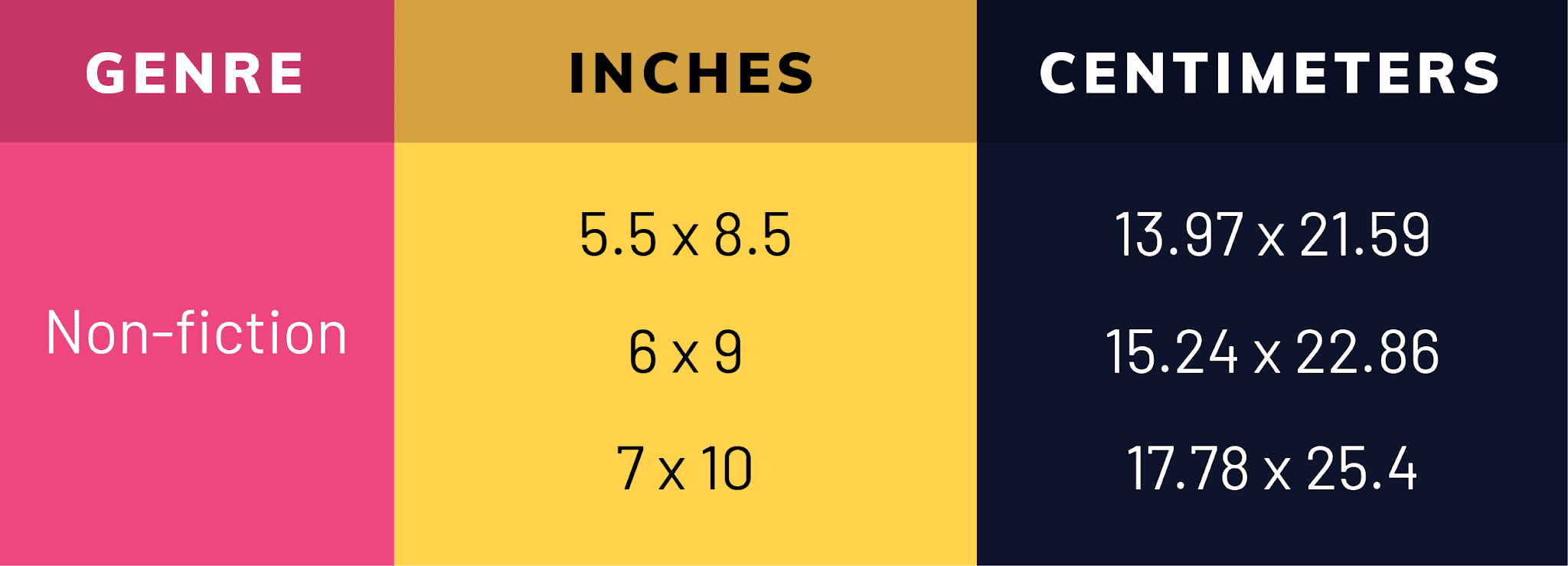
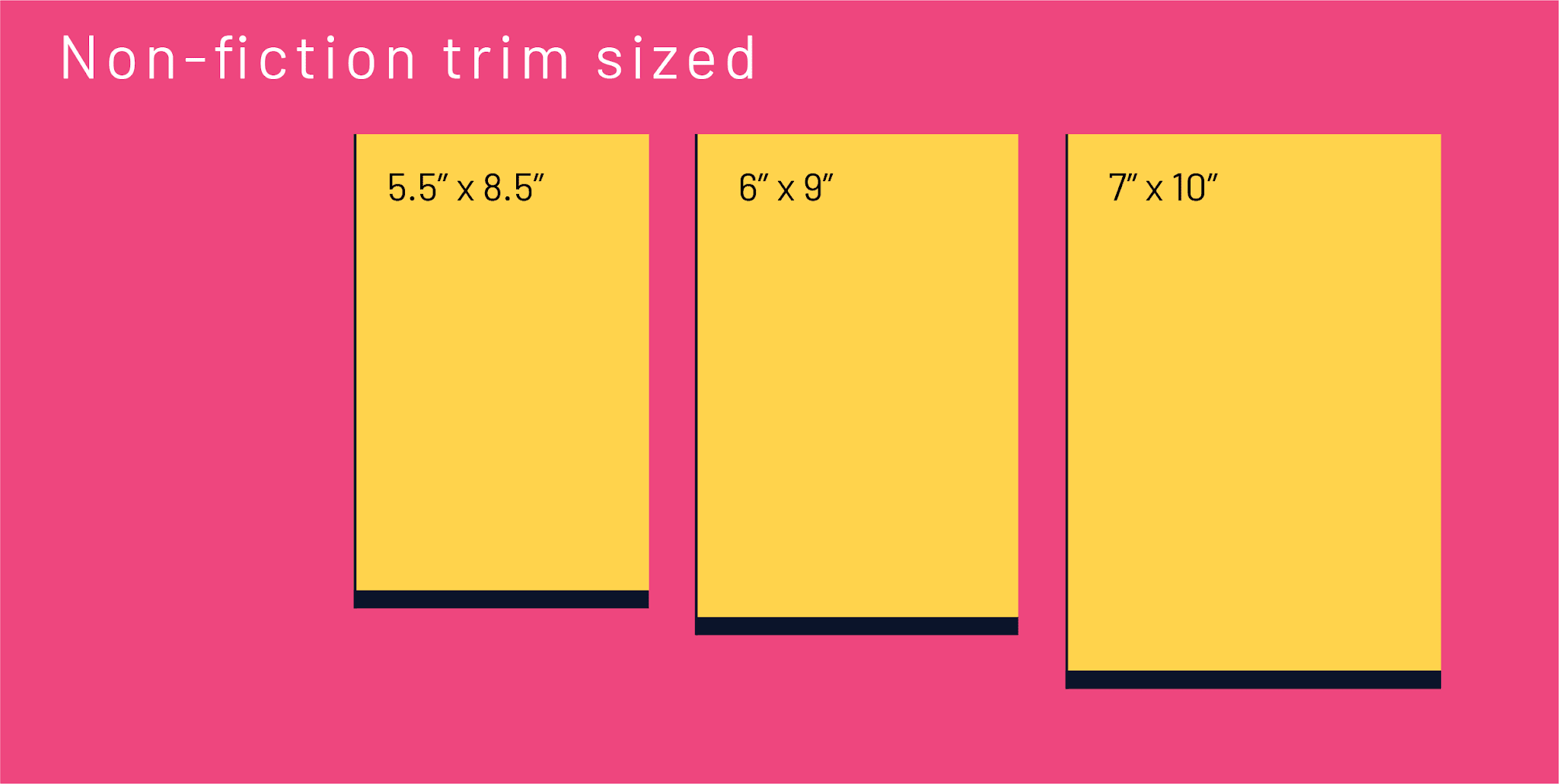
Non-fiction sits in the middle of the range: 5.5 x 8.5, 6 x 9 and 7 x 10 inches. Because the genre spans everything from business books to cookbooks, let the content decide. If your book leans on photos, charts or step-by-step layouts, go bigger. A cookbook, for example, needs room for food photography and usually lands at 7 x 10 or larger.
Memoirs
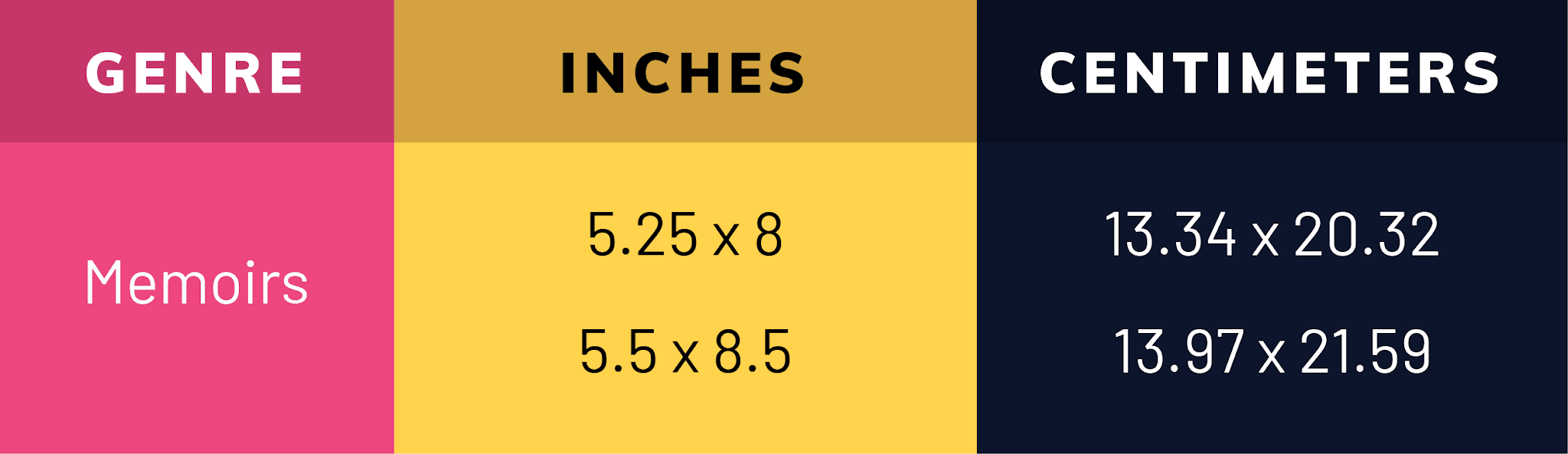
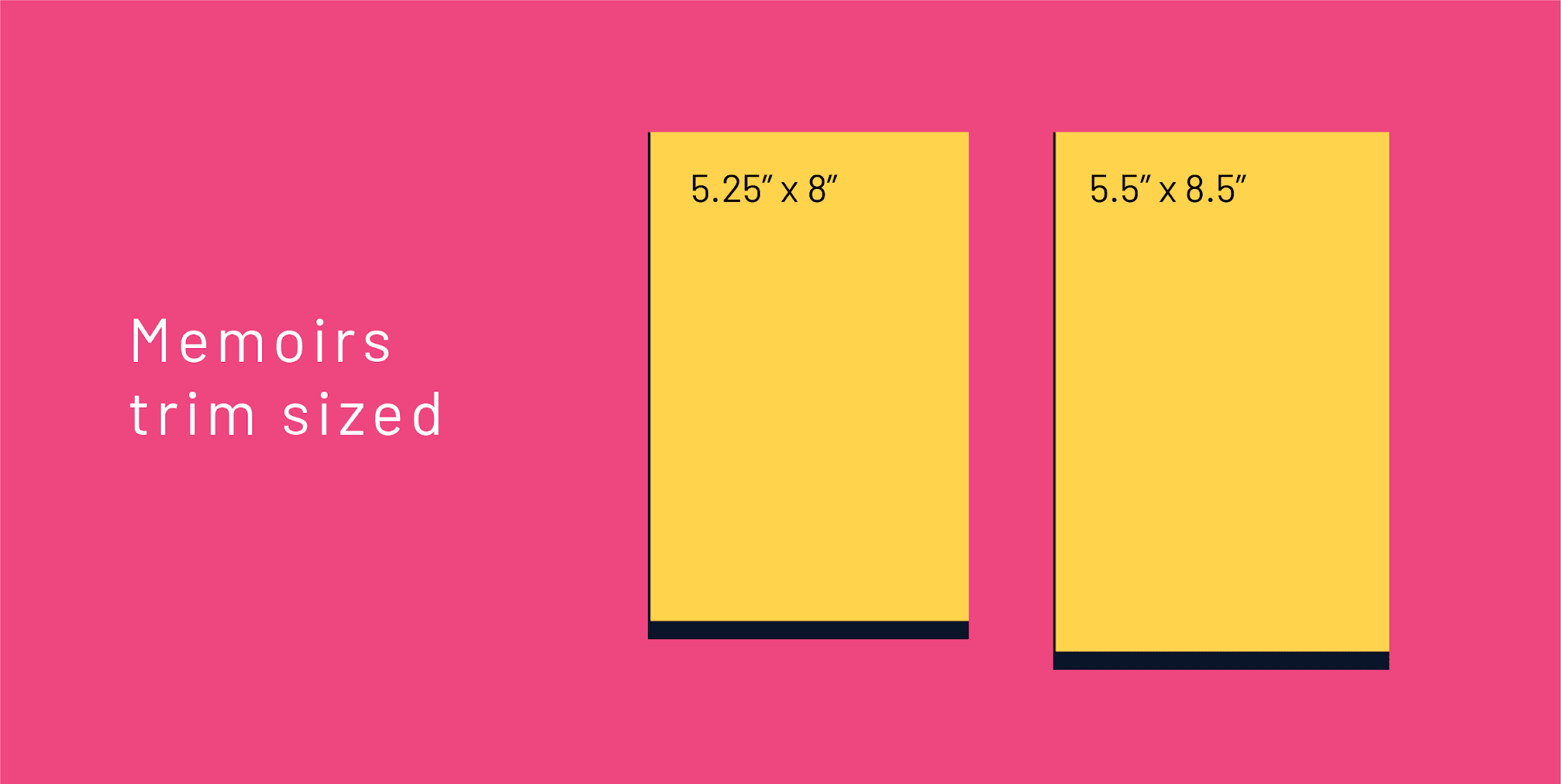
Memoirs work like novels: a smaller, comfortable book keeps the focus on the person behind the words. 5.25 x 8 and 5.5 x 8.5 inches are the usual choices.
Bleed, trim and safe zone
Bleed is the extra artwork that runs past the trim line so no white edge shows after cutting. Amazon KDP asks for 0.125 inches (3.2 mm) on the top, bottom and outside edges of the cover. Keep text and faces at least 0.25 inches (6.35 mm) inside the trim, the safe zone.
Printers cut stacks of covers at once, and the blade can drift by a fraction of an inch. Three lines keep that drift from showing:
- Trim line: where the cover is cut. This is your finished trim size, such as 6 x 9 inches.
- Bleed line: 0.125 inches outside the trim. Extend backgrounds and edge-to-edge images to here.
- Safe zone: 0.25 inches inside the trim. Keep the title, author name and anything you can't afford to lose inside it.
Check your printer's template before you start. KDP and IngramSpark both supply downloadable cover templates once you enter your trim size, paper and page count, and some printers outside the US work to a round 3 mm bleed instead.
How to calculate spine width
Spine width equals page count multiplied by the thickness of one page. On Amazon KDP that's 0.002252 inches per page for white paper and 0.0025 inches per page for cream. The full cover width is then bleed + back cover + spine + front cover + bleed.
KDP publishes these per-page figures on its cover dimensions page:
Worked example: a 300-page, 6 x 9 paperback on white paper.
- Spine width: 300 x 0.002252 = 0.6756 inches (about 17.2 mm).
- Full cover width: 0.125 + 6 + 0.6756 + 6 + 0.125 = 12.9256 inches.
- Full cover height: 0.125 + 9 + 0.125 = 9.25 inches.
- At 300 DPI, the full wrap file is 3,878 x 2,775 pixels.
The same book on cream paper gets a 0.75-inch spine, so switching paper after the cover is designed means resizing the wrap. KDP only prints spine text on books with more than 79 pages, and wants at least 0.0625 inches (1.6 mm) between the text and each fold. Other printers use different paper, so if you're printing elsewhere, use their own tool: IngramSpark's spine calculator, Gutenberg or Printondemand-worldwide.
File format, color mode and resolution
Print covers should be 300 DPI, in CMYK, saved as a print-ready PDF. Ebook covers should be RGB JPG or PNG files sized in pixels. Never upscale a low-resolution image to hit 300 DPI: the pixel count goes up, but the detail doesn't come back.
Color mode matters as much as resolution. Use CMYK for print and RGB for screens. Apple Books requires RGB covers, and KDP converts CMYK ebook covers to RGB automatically, which can shift your colors.
Where to get your book cover designed
You've got the dimensions. Now you need a cover that earns a click on a thumbnail the size of a postage stamp.
A Canva template is quick, but your cover should be as personal as the writing. Hiring a freelance designer works for a one-off. If you also need the ebook version, the audiobook square, launch graphics and ads, a design subscription often costs less than paying for each piece separately.
With ManyPixels, the Advanced plan ($699/mo) covers print and ebook design, so your paperback wrap, Kindle cover and Audible square can all go through one request queue. You get unlimited revisions, first drafts in 24 to 48 hours, and full ownership of every file, including the native source files your printer may ask for. When the book's out, pause for $10/month instead of cancelling and keep all your files.
Same subscription, other print jobs: we've covered business card sizes and sticker sizes in the same detail. Explore ManyPixels plans, or book a call to talk through your book cover.
Found my calling in the online world writing articles about design. Russian by passport, Korean at heart. Dreaming of traveling the world and spreading love.

Top-quality designers
A complete creative team at your fingertips: graphic designers, illustrators, motion designers and more.

Lightning-fast turnaround
Get started today and receive your first update on the next business day.

All-inclusive pricing
Unlimited requests and revisions. One flat monthly fee. No surprises.

Flexible & scalable model
No contract. Scale up and down as needed. Pause or cancel anytime.
Continue reading


Explore some of our best designs
Get inspired by a curated selection of ManyPixels work. Download the portfolio to see what our team can create.