Sticker sizes: every standard size and shape
.jpeg)
TABLE OF CONTENTS


TL;DR
Standard sticker sizes run from 1 inch (25 mm) circles for envelope seals up to 11.5 x 3 inch (292 x 76 mm) bumper stickers, with 2 to 4 inches (51 to 102 mm) covering most laptop, bottle and packaging work. Whatever size you pick, add 0.125 inches (3 mm) of bleed and keep all artwork 0.125 inches inside the cut line.
- ✅ The three sizes that cover most jobs: a 2 inch (51 mm) circle for seals and packaging, a 3 x 3 inch (76 mm) square for laptops and bottles, and a 3 x 2 inch (76 x 51 mm) rectangle for product labels.
- 🎨 Shape changes the usable area, not just the look. A 3 inch circle gives you about 7.1 square inches to design in. A 3 x 3 inch square gives you 9. That is 27% more room for the same nominal size.
- 💰 Bigger is not more expensive in the way people expect. Sticker pricing moves in size bands, so ordering 2.75 inches to save money usually costs the same as 3 inches and leaves you with an odd size no template fits.
- ⚠️ The number that ruins more sticker orders than any other: bleed. Artwork sized exactly to the finished sticker will show a white sliver on at least one edge once it is cut.
- ❌ Do not go below 0.75 inches (19 mm) with text on it. Six point type is the practical floor for legibility, and at that size a logo plus a URL will not fit.
Sticker size looks like a small decision until the box arrives. The 4 inch circle that looked right on screen covers half the water bottle. The bumper sticker is a quarter inch too tall for the flat part of the bumper. The label wraps around the curve of the jar and the last two letters of the brand name disappear.
None of that is a design problem. It is a measurement problem, and it is entirely avoidable.
This guide gives every standard sticker size in both inches and millimeters, the bleed and safe area numbers printers actually check your file against, and a straight answer on which size to use for the four jobs people order stickers for most. Since 2018 our designers have delivered more than 150,000 projects, a large share of them print and packaging work, so the sizes below are the ones that keep coming back on real orders rather than a list of everything technically possible.

Two things worth noticing in that table. Sticker height on bumper stickers is effectively fixed at 3 inches (76 mm) while width varies, because 3 inches is what fits the flat area of most bumpers. And almost every shape shares the same 0.125 inch bleed, which means you can set up one file template and reuse it across an entire range.
{{PRINT_PORTFOLIO="/dev/components"}}
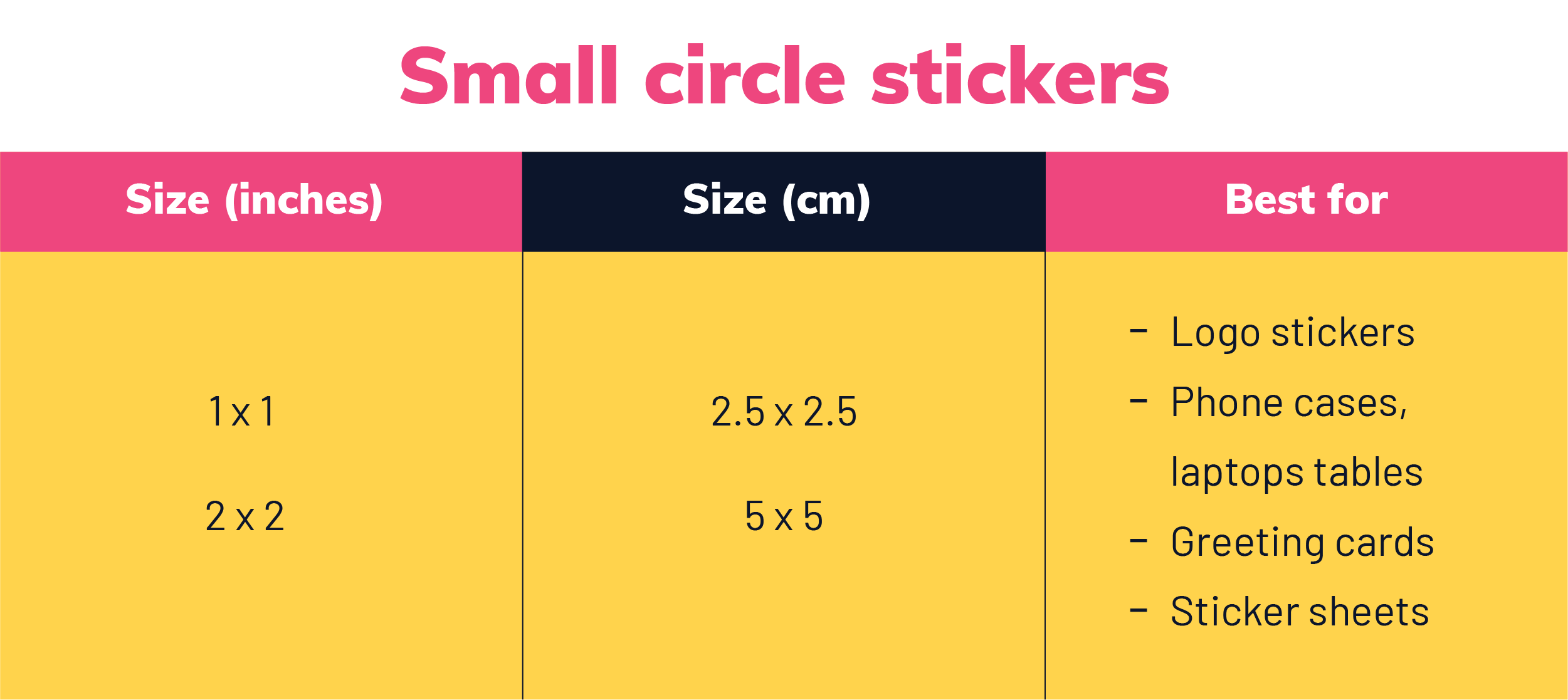
Small circle stickers: 1 to 2 inches (25 to 51 mm)
Circles between 1 and 2 inches are the workhorse small sticker. A 1 inch circle is roughly the size of a quarter. A 2 inch circle is about the size of an Oreo, which is a more useful reference than it sounds when you are trying to picture it on a jar lid.
Use them for envelope and packaging seals, jar and tin lids, phone cases, and the filler stickers in a themed pack. They are also the cheapest size to order in volume, which is why sticker packs and conference giveaways land here.
The constraint is text. At 1 inch you get a mark or a very short wordmark and nothing else. If the design needs a logo plus a tagline plus a URL, go to 2 inches or change what is on it. For pack ideas that work at this size, we collected a set of great sticker ideas that scale down cleanly.

Business card rectangle stickers: 3.5 x 2 inches (89 x 51 mm)
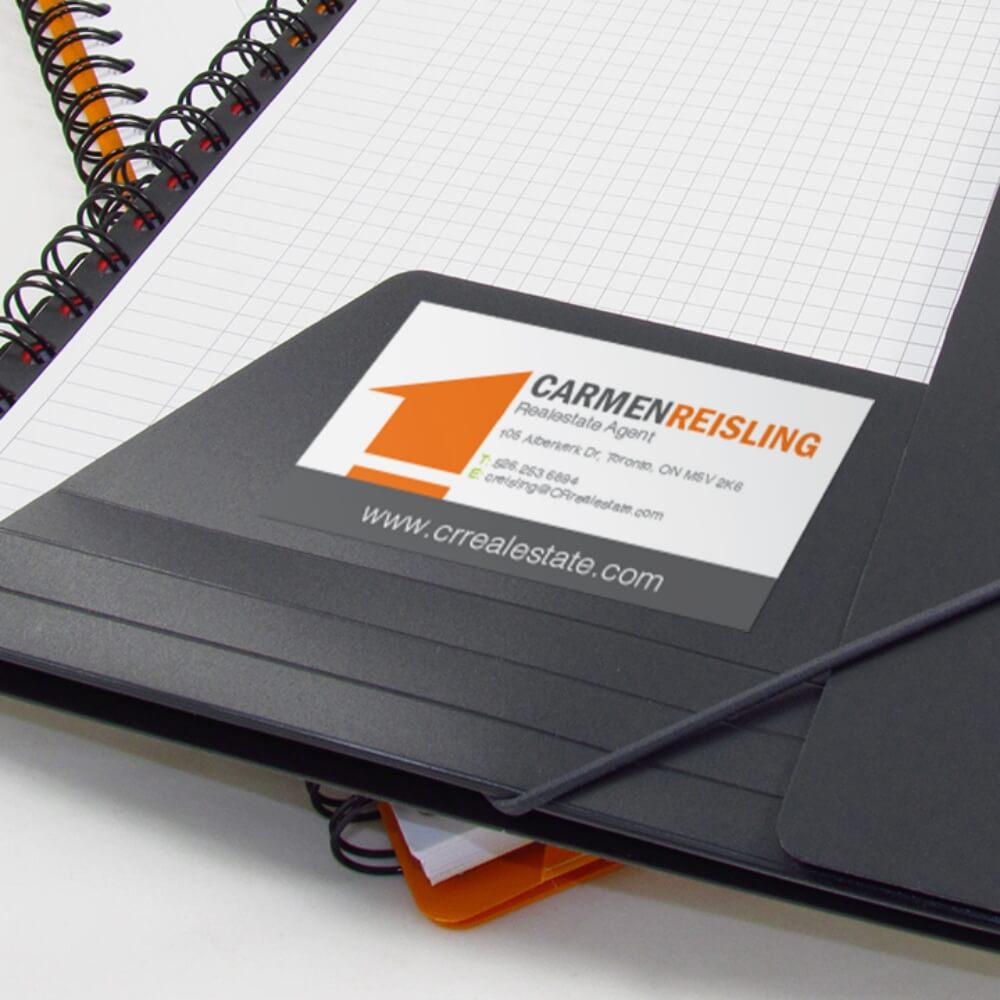
This is the standard business card size turned into a sticker, and it is more useful than it first appears. It suits horizontal wordmark logos, name tags, shopping bag labels, and the sticker version of a contact card that people put on a laptop rather than into a drawer.
Because the proportions match printed cards exactly, you can reuse an existing card layout without redrawing it. The same is true in the other direction: a sticker designed at this size can be printed as a card, or as a loyalty card, with no resizing at all.

Square stickers: 3 x 3 and 5 x 5 inches (76 and 127 mm)
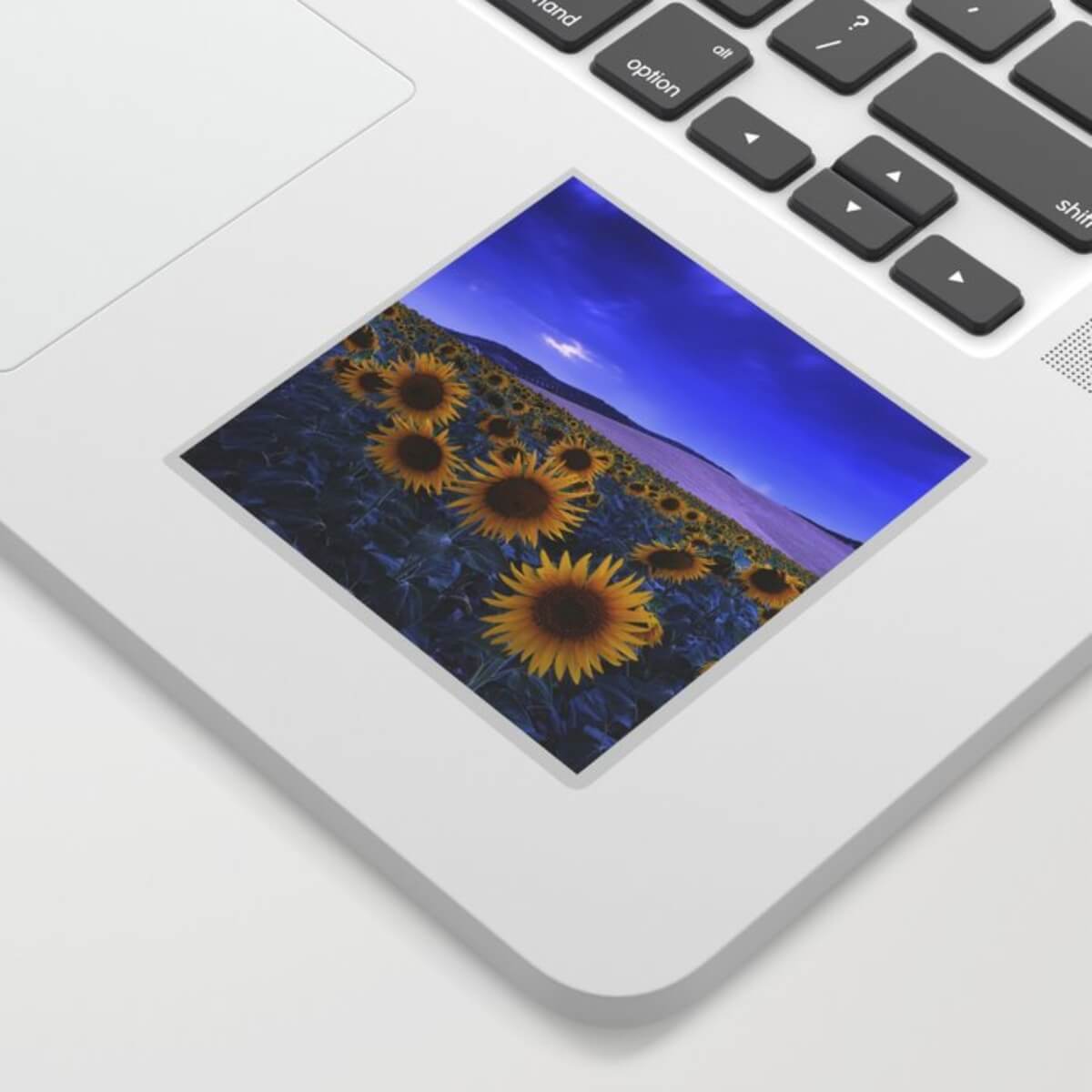
Squares give you the most usable area per nominal inch, which makes them the right pick for photo stickers, illustrated artwork and anything where detail needs to survive.
A 3 x 3 inch (76 mm) square is the default laptop and water bottle sticker. A 5 x 5 inch (127 mm) square is a statement piece: laptop lids, window displays, the back of a road case. Between them, 4 x 4 inches (102 mm) is the size to use when 3 feels cramped and 5 feels loud.
One practical note: a square sticker with a square design in it reads smaller than it is, because the corners go to waste. If the artwork is round or organic, a die cut shape at the same nominal size will look noticeably bigger on the surface.

Big circle stickers: 3 to 5 inches (76 to 127 mm)
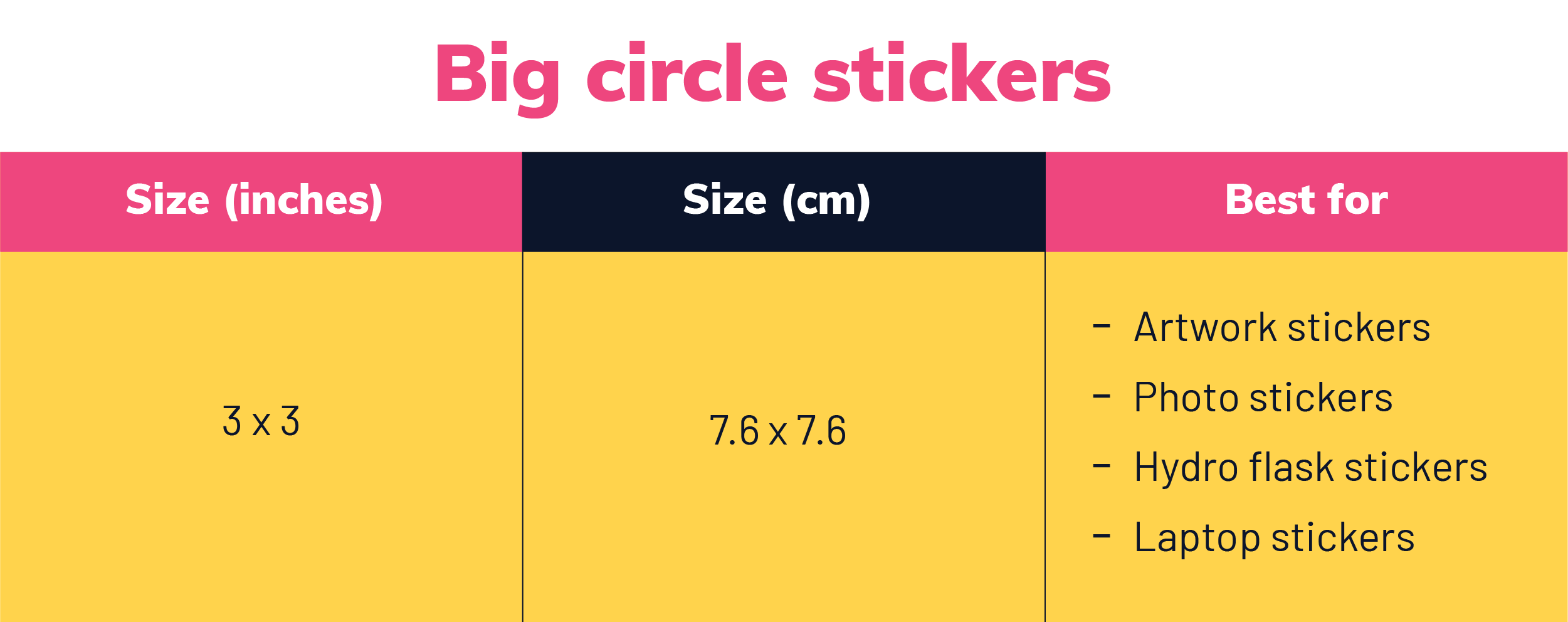
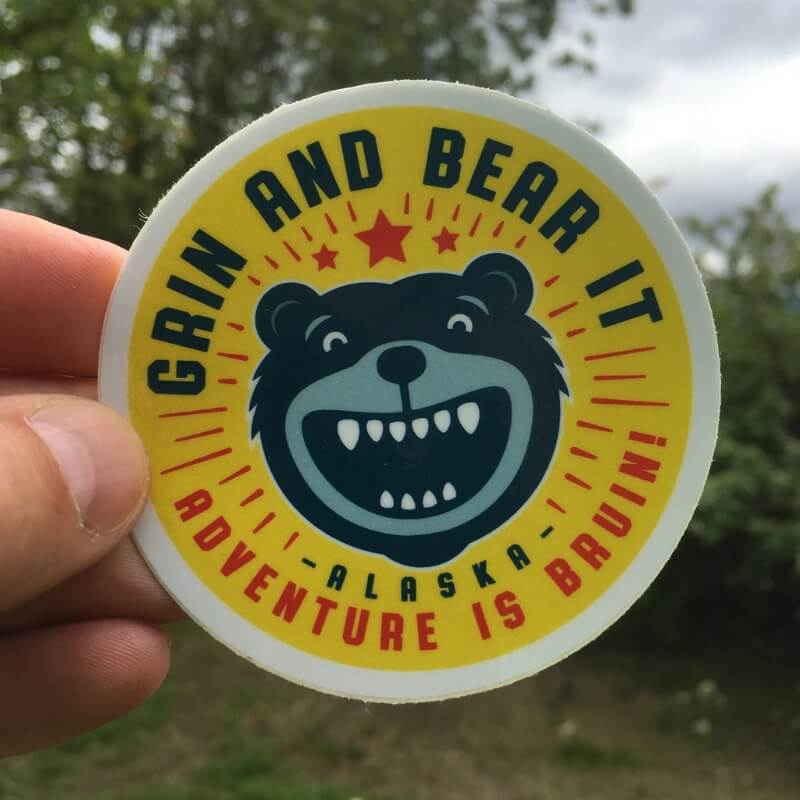
Circles from 3 to 5 inches are decal territory: motorcycle and bike helmets, car windows, notebooks, yearbooks, hard cases and home appliances.
Material matters more than size here. Vinyl stickers are considerably more durable than paper ones and are the only sensible choice for anything that will be outdoors, washed, or exposed to sunlight. Paper is fine for indoor and short-life uses and costs less, but it will not survive a car wash or a dishwasher.
At 4 inches and above, check the curve of the surface before you commit. A flat 5 inch circle applied to a curved helmet will lift at the edges. Either drop a size or switch to a shape that follows the curve.
Custom label stickers: 3 x 2 and 4 x 3 inches (76 x 51 and 102 x 76 mm)
These two sizes cover most product packaging: jars, bottles, bags, boxes and tins. A 3 x 2 inch (76 x 51 mm) label fits a standard mason jar or a small cosmetics tub. A 4 x 3 inch (102 x 76 mm) label suits larger bottles, shipping labels and boxes.
Wine and spirits usually run as a pair, a larger front label and a smaller back label carrying the legal copy, so budget for two sizes rather than one. Roll labels can hold several hundred stickers on a single roll, which is what you want if anything is being applied by hand at volume.
Label sizing is one place where the sticker is part of a bigger system rather than a standalone item. If the label is going onto packaging you are also designing, size the two together rather than in sequence. Our guide to product packaging design covers how the two decisions interact, and if you would rather hand the whole job over, there are specialists who do exactly this in our roundup of packaging designers.


Oval stickers: 1.5 x 2 inches (38 x 51 mm)
Ovals read as premium and are common on coffee cups, food packaging, candles and cosmetics. The usual sizes are 1.5 x 2 inches (38 x 51 mm) and 2 x 3 inches (51 x 76 mm), with 3 x 4 inches (76 x 102 mm) for larger jars.
The catch with ovals is that the usable rectangle inside them is much smaller than the stated dimensions suggest. On a 1.5 x 2 inch oval, the area where a straight line of text can run without clipping is closer to 1.1 x 1.5 inches. Design to that inner area, not to the outer measurement.


Bumper stickers: 11.5 x 3 inches (292 x 76 mm)
The classic US bumper sticker is 11.5 x 3 inches (292 x 76 mm). Printers list 11 x 3 inches (279 x 76 mm) and 9 x 3 inches (229 x 76 mm) just as often, and UPrinting names 11 x 3 inches as its most popular size, so treat 3 inches of height as the fixed constraint and let the message decide the width.
Height is fixed because that is what fits the flat section of most bumpers. Go taller and the sticker starts to wrap around a curve, which distorts the artwork and lifts the edges.
Legibility is the whole job here, since the sticker is read at speed from several car lengths back. Keep to one line of message where possible, use a heavy weight, and avoid anything with fine strokes. We wrote a whole guide on how to choose the right font for stickers, and bumper stickers are where the wrong choice shows up fastest.

If the sticker is going onto a specific object, there is a two minute check that beats every guideline on this page. Print the artwork at 100% on plain paper, cut it out, and stick it on the actual bottle, laptop or bumper with a loop of tape. You will know immediately whether it is the right size, and you will catch curve and placement problems that no on screen mockup reveals.
For mockups at the exploratory stage, Canva templates are a fast way to try several sizes before committing to a print file.
Sticker bleed and safe area: the numbers printers check
Size gets you a sticker. Bleed and safe area get you a sticker that looks like the file you sent.
Cutting is mechanical and it drifts by a fraction of a millimeter on every sheet. Bleed is the extra artwork beyond the cut line that absorbs that drift, and the safe area is the margin inside the cut line where nothing important is allowed to sit. Skip either one and you get white slivers on one edge and clipped text on the other.
Those numbers are not ours, they are the industry defaults. StickerGiant asks for 0.125 inches of bleed beyond the cut line, artwork at 300 DPI at the ordered size, and a corner radius of 0.04 inches or larger. Sticker Robot asks for the same 0.125 inch bleed and specifies that type and important artwork sit 0.125 inches inside the trim line. Sticker Mule puts 6 pt as the minimum font size for legible text, with the caveat that thin and decorative faces need to go larger.
Three more file rules that are not about size but get orders rejected just as often:
- Work in CMYK, not RGB. Printers convert RGB files automatically and the colors shift, usually in the brightest areas. Bright greens and oranges suffer most.
- Send vector where you can. An SVG, AI, EPS or PDF with live paths can be scaled to any sticker size with no quality loss. A 300 DPI raster file is only 300 DPI at one specific size.
- Supply the cut path separately on die cut work. A custom shape needs its own path, usually a 1 pt spot color line named Cutline or Thru-cut, sitting on its own layer.
These conventions carry across print formats. The same 0.125 inch bleed and 300 DPI rules apply on our flyer and poster size guide and in our book cover size guide, so a print file template set up once can be reused across a whole range of collateral.
How small can a sticker be before it stops working?
The physical floor is around 0.5 inches (13 mm). Below that, most printers cannot cut reliably and the sticker is hard to peel and place by hand.
The practical floor is higher. Once a sticker has to carry readable text, 0.75 inches (19 mm) is the smallest that works, and even then only with a bold face at 6 pt or above and strong contrast. A full lockup of logo, tagline and URL needs 1.5 inches (38 mm) at minimum, and reads comfortably at 2 inches (51 mm).
Under 0.75 inches, printers also tighten the safe area: StickerGiant, for example, asks for the full 0.125 inch safe margin on stickers 0.75 x 0.75 inches and smaller, while allowing 0.0625 inches (1.6 mm) on larger ones. That margin eats a proportionally huge share of a tiny sticker, which is the real reason small stickers feel so cramped to design.
Frequently asked questions
Get your custom stickers with ManyPixels!
Start from the surface, not from the sticker. Measure the flat area you are sticking to, pick the nearest standard size below it, then set the file up with 0.125 inches (3 mm) of bleed, a 0.125 inch safe margin, 300 DPI at final size and CMYK color. That covers close to every sticker order anyone places.
If the design itself is the part you would rather hand over, our print design services cover stickers, labels and packaging with unlimited requests and revisions at a flat monthly rate, with print ready files set up to the specs above. Explore ManyPixels plans to see what each one includes, or book a demo if you want to walk through a project first.
Having lived and studied in London and Berlin, I'm back in native Serbia, working remotely and writing short stories and plays in my free time. With previous experience in the nonprofit sector, I'm currently writing about the universal language of good graphic design. I make mix CDs and my playlists are almost exclusively 1960s.

Top-quality designers
A complete creative team at your fingertips: graphic and web designers, illustrators, and more.

Lightning-fast turnaround
Get start today and receive your first update on the next business day.

All-inclusive pricing
Unlimited requests and revisions. One flat monthly fee. No surprises.

Flexible & scalable model
No contract. Scale up and down as needed. Pause or cancel at anytime.
Continue reading
.jpeg)
.jpeg)
Explore some of our best designs
Get inspired by a curated selection of ManyPixels work. Download the portfolio to see what our team can create.