
Serif vs. sans serif fonts: when and how to use them
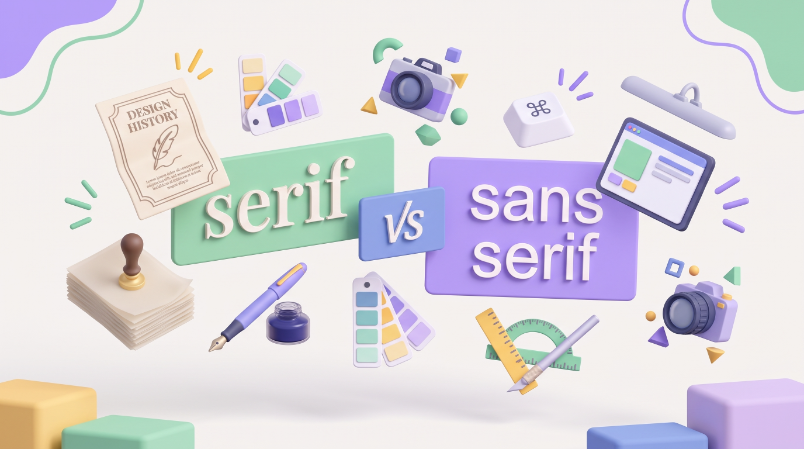
TABLE OF CONTENTS
TL;DR
Serif fonts carry small end-strokes and read as traditional and authoritative. Sans serif fonts skip those strokes and read as modern and clean.
✅ Use serif for long printed text, editorial brands, law and education.
✅ Use sans serif for interfaces, small on-screen text, and modern or tech brands.
❌ Neither category is more readable by default, the right pick depends on your audience and where the text will actually be seen.
Introduction
Serif vs sans serif is one of the first calls you make in any branding project, and most people make it by instinct rather than by any real rule. That's how a law firm ends up with a headline font that reads more like a kids' app than a firm you'd trust with a lawsuit. The choice isn't really about taste. It's about your audience and where the type will actually be seen: on a phone screen, on a business card, across 40,000 words of print. Get that part right, and the rest follows.
Here's what actually separates the two categories, when each one earns its place, and where the subcategories people search for (slab, Didone, geometric, humanist) fit in.
What is the difference between serif and sans serif fonts?

The technical difference is simple: serif fonts have small decorative strokes, called serifs or "feet," at the ends of their letters. Sans serif fonts don't, "sans" is French for "without." Times New Roman is a serif font. Helvetica is a sans serif font. That's the whole mechanical distinction.
The design difference runs deeper than the mechanics. Type designers treat serif and sans serif as two different personalities, not two versions of the same letter shapes. A serif face carries associations with print, tradition and editorial authority, largely because serifs dominated books and newspapers for centuries. A sans serif face reads as modern and stripped-down, partly because it became the default for early digital screens, where low resolution made delicate serifs blur into mush. Those associations have loosened over time, but they haven't disappeared, and they're still the fastest way to signal what kind of brand you are before anyone reads a word.
But, from an aesthetic standpoint, the difference is much deeper than this practical distinction we make between these two types of fonts. Designers and branding gurus know that different fonts have different personalities, and offer a unique message and character to the design.
Serif fonts: characteristics and subcategories
Serif letterforms are far older than most people assume. Serifs trace back to Roman monumental inscriptions, where stonecutters added small flared strokes to finish off letter-carving cleanly, and serif movable type followed in the 1470s with printers like Nicolas Jenson. The 18th century, which the old version of this article pointed to as the starting point for serif type, is actually when a specific serif subcategory (Didone, more on that below) was invented, not when serifs began. Serif type has roughly five centuries of print history behind it, and that history is a big part of why the style still reads as established and trustworthy.
Serif isn't one look. It's a family, and the subcategory matters more than most style guides admit:
- Old style: the earliest printed serifs, with low contrast between thick and thin strokes and a warm, calligraphic feel. Garamond is the classic example, still a common choice for print-heavy, literary brands.
- Transitional: sits between old style and modern, with more contrast and a more mechanical, precise letterform. Times New Roman is the most recognizable example, built specifically for newspaper legibility.
- Didone (modern): the high-contrast, thin-hairline style that emerged in the late 1700s from designers like Bodoni and Didot. This is the category Vogue's logo belongs to, and it's why that logotype reads as glamorous rather than merely old.
- Slab: heavier, block-like serifs with almost no contrast between thick and thin strokes. Rockwell is the standard reference point. Slab serifs read bold and confident rather than delicate, which is why they show up in logo design far more than body text.
Other well-known serif fonts worth knowing: Baskerville, Georgia and Bookman Old Style. Bottomline: if a brand needs to feel established, literary or high-end, some flavor of serif is almost always the right family to start from.
Sans serif fonts: characteristics and subcategories
Sans serif type is younger, most of the category's development happened in the 20th century, driven first by industrial signage and later by screen design. It reads as approachable and current, and its clean strokes hold up at sizes where a serif would start to clog. That's the core reason sans serif dominates app interfaces, dashboards and anything meant to be scanned fast rather than read slowly.
Sans serif also splits into recognizable subcategories:
- Grotesque: the earliest sans serif style, with slightly irregular stroke widths and a bit of quirk left in the letterforms. Franklin Gothic is the reference example, still used for bold, editorial-feeling headlines.
- Neo-grotesque: a cleaned-up, more geometric evolution of grotesque. Helvetica is the definitive example and probably the most recognized sans serif on earth.
- Geometric: built from near-perfect circles and straight lines, which gives it a precise, modern feel. Futura is the standard reference, and it's the font actually used in the Louis Vuitton wordmark (more on that below).
- Humanist: the warmest sans serif subcategory, with letterforms influenced by handwriting and old style serif proportions. Gill Sans is the classic example, and humanist sans fonts are generally considered the easiest sans serif style for long passages of body text.
Other notable sans serif fonts: Arial, Verdana and Calibri. Bottomline: if a brand needs to feel current, digital-first or friendly, sans serif is the safer starting point, and the humanist subcategory is worth a closer look if it'll carry long paragraphs of body text.
Which is more legible: on screen and in print?
On screen, sans serif is the safer default at small sizes. Interface text, mobile navigation and anything under roughly 14px benefits from sans serif's cleaner strokes, since serifs can blur together at that scale even on modern high-resolution displays.
In print, and in long-form body text at normal reading sizes on a high-resolution screen, the legibility gap between the two categories mostly disappears. A 2022 peer-reviewed comparison of serif and sans serif legibility found the older assumption that sans serif is simply "easier to read on screen" doesn't hold up cleanly once you control for stroke contrast and reading size. The real variable is resolution and scale, not the category itself.
So the direct answer: pick sans serif for small interface text, and don't assume serif is automatically harder to read everywhere else. For long-form printed text specifically, serifs still have a genuine edge, the small strokes help the eye track along a line without losing its place, which is why nearly every printed novel and newspaper still uses one.
Which font fits your industry?
Industry convention is a reasonable starting point, but it should be a starting point, not a rule. Here's where each category tends to land, and why.
Sans serif for tech and SaaS

It's genuinely hard to find a modern tech or startup brand using a serif logo. Minimalist, geometric sans serif fonts read as current and are more legible at the small sizes tech interfaces run on, from app icons to navigation bars. That legibility advantage, not just trend-chasing, is the real reason sans serif dominates this category.
Serifs for law firms and medical practices
Law firm branding leans serif to signal tradition, precision and gravitas, qualities clients want from someone handling a legal matter. Medical and hospital branding follows the same logic more often than not: healthcare is an old, credentialed discipline, and a traditional serif face borrows some of that authority. (Some modern telehealth and wellness brands go sans serif instead, deliberately trading gravitas for approachability, but that's the exception, not the default.)
Serifs for fashion, with one real exception

Vogue and Prada are two of the most iconic serif logotypes in fashion, both sit in the Didone subcategory described above, and both use that high-contrast, glamorous look specifically to signal luxury. Louis Vuitton is the more interesting case: the "LV" monogram carries serif-like strokes, but the full "Louis Vuitton" wordmark is actually set in Futura, a geometric sans serif. It's proof that even one of the most recognizable fashion houses in the world mixes both categories inside a single brand system when it serves the design. At the other end of the fashion spectrum, an edgy streetwear logo is usually a much better match for a bold sans serif or graffiti-style font than for a delicate serif.
Serifs for education

Think of a university crest or a kindergarten's welcome sign, both usually lean serif. Traditional serif type carries the weight of Ivy League institutions and old-timey penmanship, and it's a hard category to go wrong in for education branding, whether it's a private university or a neighborhood preschool.
Sans serif for construction, plumbing and other trades
Trade businesses are more personal than a hospital or a law firm, and a casual, simple sans serif builds a friendlier brand image. Stick to geometric or humanist sans serif rather than anything too playful, the goal is approachable, not unprofessional.
Serif headlines, sans serif CTAs
A serif headline paired with a sans serif body and call-to-action button is a genuinely useful hybrid rule. It gets the gravitas of serif where a reader's eye lands first, and the legibility of sans serif where it matters most, on a small button or a piece of ad creative someone will glance at for half a second.
Getting your brand typography chosen professionally
Picking a font family sounds simple until you're staring at four hundred near-identical geometric sans serif options and a launch date. It's the same decision a founder mapping out an early-stage brand identity has to make, only with less time to second-guess it. A designer who's made this call for other brands will read your audience and your use cases (screen, print, small sizes, big sizes) faster than most in-house teams can, and won't leave you guessing whether your "confident" serif actually reads as dated.
Explore ManyPixels plans if you'd rather have a dedicated designer make (and document) that call as part of your broader brand identity work.
{{BRAND_BANNER="/dev/components"}}
Frequently asked questions
Bottom line
There's no universally "more readable" font category, the right choice depends on your audience and where the type will actually be seen.
Lean serif for print, long-form reading and brands that want to signal tradition or luxury. Lean sans serif for interfaces, small text and brands that want to read as modern and approachable. When in doubt, the hybrid approach, serif headline, sans serif body and CTA, covers most of the gap between the two.
Not sure which category fits your brand, or want someone to make (and stick to) that call across your whole identity? Check out our guide to the best fonts for logos once you've settled on a category, and our list of free commercial fonts to keep the project on budget. If you're documenting the decision for a team to follow, our brand guidelines examples and typography design guide are the next two stops, and what is visual identity covers where type fits into the bigger picture.
If you need someone to help you decide which font suits your brand and use case, we have 40+ design pros on our team ready to help. Explore ManyPixels plans or book a free 1:1 consultation to discuss your needs with us.

Journalist turned content writer. Based in North Macedonia, aiming to be a digital nomad. Always loved to write, and found my perfect job writing about graphic design, art and creativity. A self-proclaimed film connoisseur, cook and nerd in disguise.

Top-quality designers
A complete creative team at your fingertips: graphic and web designers, illustrators, and more.

Lightning-fast turnaround
Get start today and receive your first update on the next business day.

All-inclusive pricing
Unlimited requests and revisions. One flat monthly fee. No surprises.

Flexible & scalable model
No contract. Scale up and down as needed. Pause or cancel at anytime.
Continue reading

Explore some of our best designs
Get inspired by a curated selection of ManyPixels work. Download the portfolio to see what our team can create.