Instagram business categories: the full list of groups and how to choose yours
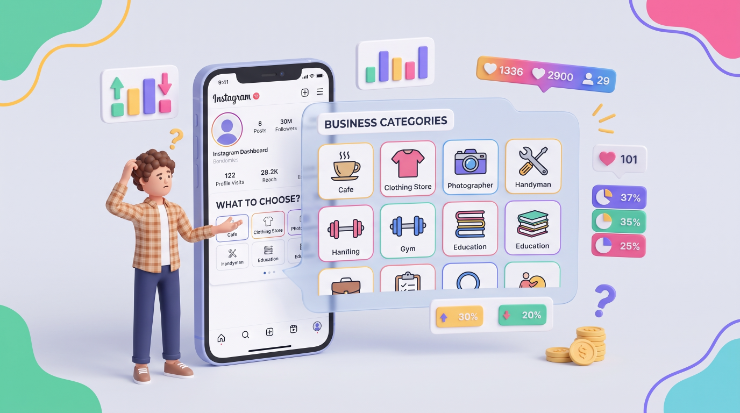
TABLE OF CONTENTS

TL;DR
An Instagram business category is the label under your profile name that tells people what you do at a glance. Instagram offers over a thousand of them, grouped into areas like food and drink, retail, professional services and entertainment. Pick the most specific one that still describes your main offer, and change it any time from Edit profile.
- ✅ Choose the most specific category that still covers your main product. "Korean Restaurant" beats "Restaurant" if that is what you are.
- 🔍 Before you commit, check what your three closest competitors use. It is the fastest way to see which label your customers already recognise.
- 🎵 Business or creator? If you sell something, go business. If you are the product (an influencer, artist or coach) and rely on trending audio in Reels, a creator account keeps the full licensed music library.
- ⚠️ The category is a label, not a ranking lever. Instagram's published ranking signals are about activity and engagement, and the profile category is not one of them.
- 🔁 Nothing is permanent. You can change the category, or hide it from your profile, in under a minute.
Every professional account on Instagram, business or creator, gets a category. It is one short line under your name, and it is often the first thing a visitor reads after your handle. It answers "what is this account?" before your bio, your highlights or your grid get a chance to.

Instagram business categories list: groups and examples
Instagram has more than a thousand categories, and the exact count varies depending on who is counting. Scrolling a thousand alphabetised rows will not help you choose. What helps is knowing which group you belong to, then searching inside it. Here are the groups that cover the vast majority of small businesses, with the category names you will actually see in the picker.
A few notes on each group, and the mistakes we see most often.
Food and drink
This is one of the most finely split groups on Instagram. A chicken joint, a Korean restaurant and a juice bar each have their own category, and there are fusion options like Asian Fusion Restaurant too. Search the picker for your cuisine before settling on plain "Restaurant". Once the label is set, the profile has to back it up, which is where restaurant branding does the heavy lifting.
Retail and shopping
Clothing Store is one of the most common categories on the platform. If clothes are your main product but not your only one, Clothing (Brand) is a better fit than a generic retail label. If you sell a wide mix, Shopping & Retail or Product/Service avoids excluding customers who come for something other than your hero product. For clothing labels, a clear mark matters at avatar size, so look at how the best fashion logos hold up small.
Beauty
Salons, nail bars and makeup artists all have distinct categories. Use them: someone looking for a nail technician scrolls past "Beauty Salon" faster than you would think. Your profile picture does a lot of the same work, so a clean beauty logo is worth getting right.
Health and wellness
A gym, a yoga studio and an independent personal trainer read very differently to a new follower. Pick the one that matches how people book you. If you run a facility, lead with that; if you train people one to one, Personal Trainer tells them you are the service. A recognisable gym logo helps the avatar match the label.
Medical
This is where specificity matters most. Someone searching for an OBGYN gets nothing useful from an account labelled only "Medical Center". If you run a dental practice, Dentist & Dental Office says it plainly, and a trustworthy dental logo reinforces it.
Professional services
Law firms, accountants and consultants tend to default to the broadest option they can find. Resist that. "Lawyer & Law Firm" tells a potential client in half a second that they are in the right place, and consistent law firm branding across the profile keeps that impression going.
Real estate and construction
Agents should have their own personal branding, so it usually makes sense to run separate profiles: Real Estate Company for the agency and Real Estate Agent for each agent. Related categories include Real Estate Developer and Contractor. Our guide to realtor branding covers how to keep the two consistent.
Education
Schools, universities and tutors each have a home here. Online course creators often debate between Education Website and Digital Creator. If people buy a course from you, go with education. If they follow you for you, see the creator group below. Schools planning a wider refresh can look at our roundup of design services for schools and education.
Travel and hospitality
Travel Agency tells people you book trips. Travel Company is broader and suits tour brands and travel products. Hotels have their own category. Whatever you pick, the profile image carries the promise, so a strong travel logo is worth the effort.
Technology
Software Company and App Page are the standard picks for SaaS and apps. If your product is a website or online tool rather than an installable app, Website is often the more honest label. Browsing strong tech logos is a good gut check for how yours reads next to it.
Media and publishing
Traditional outlets fit Media/News Company. If your content is closer to the fun, eclectic style of digital-first publishers, News & Media Website is usually the better label.
Arts and entertainment
You can go specific (Modern Art Museum) or broad (Artist, Visual Arts). Instagram also has some playful categories, like Behind the Scenes and Fails and Bloopers, which work well for secondary accounts that promote an entertainment business. Photographers have their own label; pair it with a photography logo that works as a watermark too.
Sports, recreation and clubs
This is a broad group with fun specifics, including Kayak Rental, Go-Kart Track and Rock Climbing Gym. Social clubs are covered as well, from sororities to private members clubs and comedy clubs. If there is a category for your exact activity, use it.
Nonprofit and religious
Nonprofit Organization is a safe umbrella, but nonprofits exist to rally people around a specific mission, so a narrower label like Youth Organization or Environmental Conservation Organization usually says more. Churches and religious centres have their own categories; if you have a good mark, one of these church logo examples can inspire your profile picture. Charities planning a broader refresh can compare design services for nonprofits.
Creators and public figures
Politicians and celebrities often use Public Figure. Influencers, bloggers and educators who are building a personal brand usually fit Digital Creator better, and should also look hard at a creator account rather than a business one. More on that below.
How to choose the right Instagram category for your business
Choosing is harder than it looks when your business does more than one thing. You might be a blogger who also sells crafts, or run a venue that is also a social club and a vegan restaurant. These three rules settle most cases.
- Describe yourself the way your customers do. Ask a few clients how they would describe you to a friend, then reread your mission statement. The category should match the thing people come to you for, not everything you offer.
- Search every category that could apply, then pick the most specific one. Type a few keywords into the category picker and compare the results. "Vegan Restaurant" beats "Restaurant", as long as your menu really is vegan. Anything else you do goes in your bio.
- Check what your three closest competitors use. Look at the category line on the profiles of the businesses your customers compare you with. If they all use the same label, that is the one your audience already recognises. If they are split, that tells you the niche has no standard yet, and the most specific option gives you an edge.
How to add or change your Instagram business category
You need a professional account to use categories. Personal accounts do not get one. If you are still on a personal account, switch first:
- Open Instagram and go to your profile.
- Tap ☰ in the top-right.
- Tap Settings and activity.
- Scroll to For professionals → Account type and tools.
- Tap Switch to professional account.
- Choose a category for your account.
- Choose Business or Creator.
- Follow the remaining setup steps
Business accounts must be public, so a private personal account becomes public when it switches to business. Linking a Facebook Page is optional, but it lets you manage both from Meta Business Suite and reshare content between them.
To change your category later, go to your profile, tap Edit profile, then Category, and search for the new one. The change shows on your profile straight away.
Instagram business account vs creator account
When you switch to a professional account, Instagram asks whether you are a business or a creator. Both get categories, insights and the option to promote posts. The differences are smaller than they used to be, and for most people one of them settles it: music.
The music rule comes from Meta's licensing deals. Meta's own help page on access to the licensed music library says the library is intended for personal, non-commercial use, so certain business accounts do not get it and may use Meta's Sound Collection instead. If your content strategy leans on trending audio, that is usually the deciding factor.
Our take: if you sell a product or a service that is not you, pick business and use royalty-free audio. If you are the brand, pick creator. Either way, a creator account does not make commercial use of licensed music safe. Branded or paid posts still fall outside what the library is licensed for.
Setting up the rest of your profile
The category is one line. The rest of the profile decides whether a visitor follows. Once the label is right:
- Pick a palette that matches the category's expectations. Our guide to Instagram colors shows how.
- Give your grid a consistent look with one of these Instagram profile themes.
- Plan what you post using our guide to quality Instagram content, and borrow ideas from the best post designs we have collected.
- Fit it all into a bigger plan with our social media strategy guide.
- Ready to spend? Start with the best Instagram ads for inspiration, then our full guide to creating Instagram ads.
If you would rather hand the design side over, ManyPixels designers create profile pictures, highlight covers, post templates and ad creatives on a flat monthly plan. Explore ManyPixels plans.
{{SMD_PORTFOLIO="/dev/components"}}
FAQ
Bottom line
Your Instagram business category takes a minute to set and gets read by nearly every visitor. Pick the most specific label that matches what customers come to you for, check it against your closest competitors, and do not agonise: you can change it any time.
🎯 Spend the time you save on the parts of the profile that actually win followers, the visuals and the content.
For help with social media visuals, explore ManyPixels and our flat-rate social media design services.
{{SOCIAL_BANNER="/dev/components"}}

Having lived and studied in London and Berlin, I'm back in native Serbia, working remotely and writing short stories and plays in my free time. With previous experience in the nonprofit sector, I'm currently writing about the universal language of good graphic design. I make mix CDs and my playlists are almost exclusively 1960s.

Top-quality designers
A complete creative team at your fingertips: graphic and web designers, illustrators, and more.

Lightning-fast turnaround
Get start today and receive your first update on the next business day.

All-inclusive pricing
Unlimited requests and revisions. One flat monthly fee. No surprises.

Flexible & scalable model
No contract. Scale up and down as needed. Pause or cancel at anytime.
Continue reading


Explore some of our best designs
Get inspired by a curated selection of ManyPixels work. Download the portfolio to see what our team can create.